Skills, Agent Tools, Academic Search & MCP
Prism is a full research agent inside Zotero: it runs reusable / workflows, searches open academic indexes with zero API keys, proposes safe undoable edits to your Zotero library, and speaks Model Context Protocol (MCP) in both directions.
1. Complete Directory of All 23 Built-In / Skills
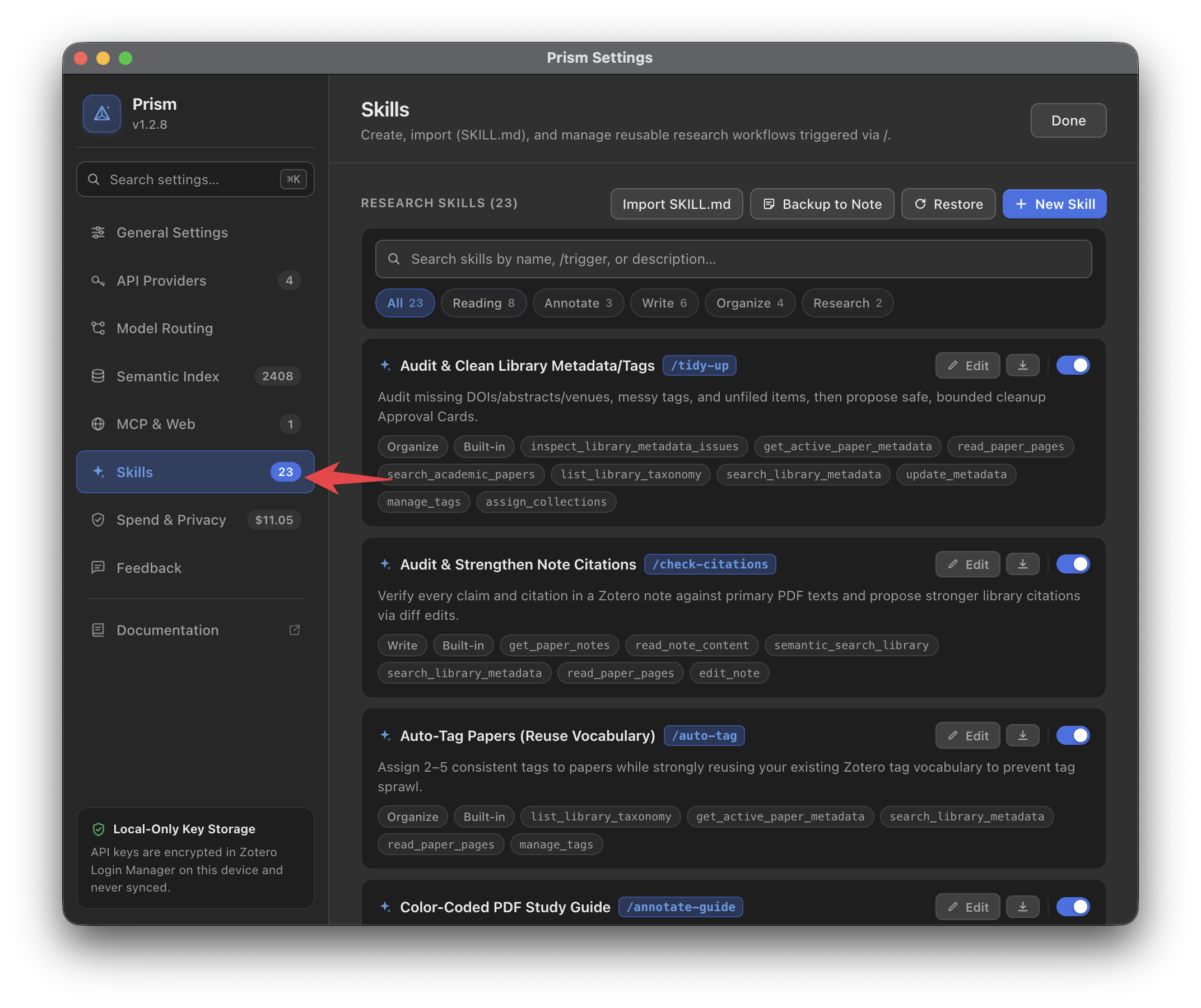
Type / in the Prism composer to browse and launch any skill (use ↑ / ↓ and Enter or Tab). All 23 built-in skills can be searched, filtered by category, edited, or toggled individually under Prism Settings → Skills.
Reading (8 Skills)
Annotate (3 Skills)
Write (6 Skills)
Organize (4 Skills)
Research & Fast Path (2 Skills)
2. Authoring, Editing & Backing Up Custom SKILL.md Files
Open Prism Settings → Skills to manage your workflow library:
- Search & Category Filter Pills: Filter by name,
/trigger, description, or allowed tools, and switch across category pills with live counts (All,Reading,Annotate,Write,Organize,Research,Custom). - Edit Any Skill (Including Built-Ins): Double-click any skill card (or click Edit) to customize instructions, allowed tools, or the
No-tools fast modetoggle (only Delete is restricted to custom skills; built-ins can also be disabled cleanly). - Import, Export & Sync: Click
Import SKILL.md(paste Markdown orChoose .md File…), clickExport SKILL.mdon any card, or useBackup to Note/Restoreto sync custom skills through a standalone Zotero note.
Portable SKILL.md Format
Supported frontmatter fields: name (or title), trigger (or slash / command), description, category (reading | annotate | write | organize | research | custom), allowed-tools ([a, b], multiline YAML - a, or comma-separated), disable-tools (boolean; setting tools: [] also enables no-tools fast mode), and enabled (boolean).
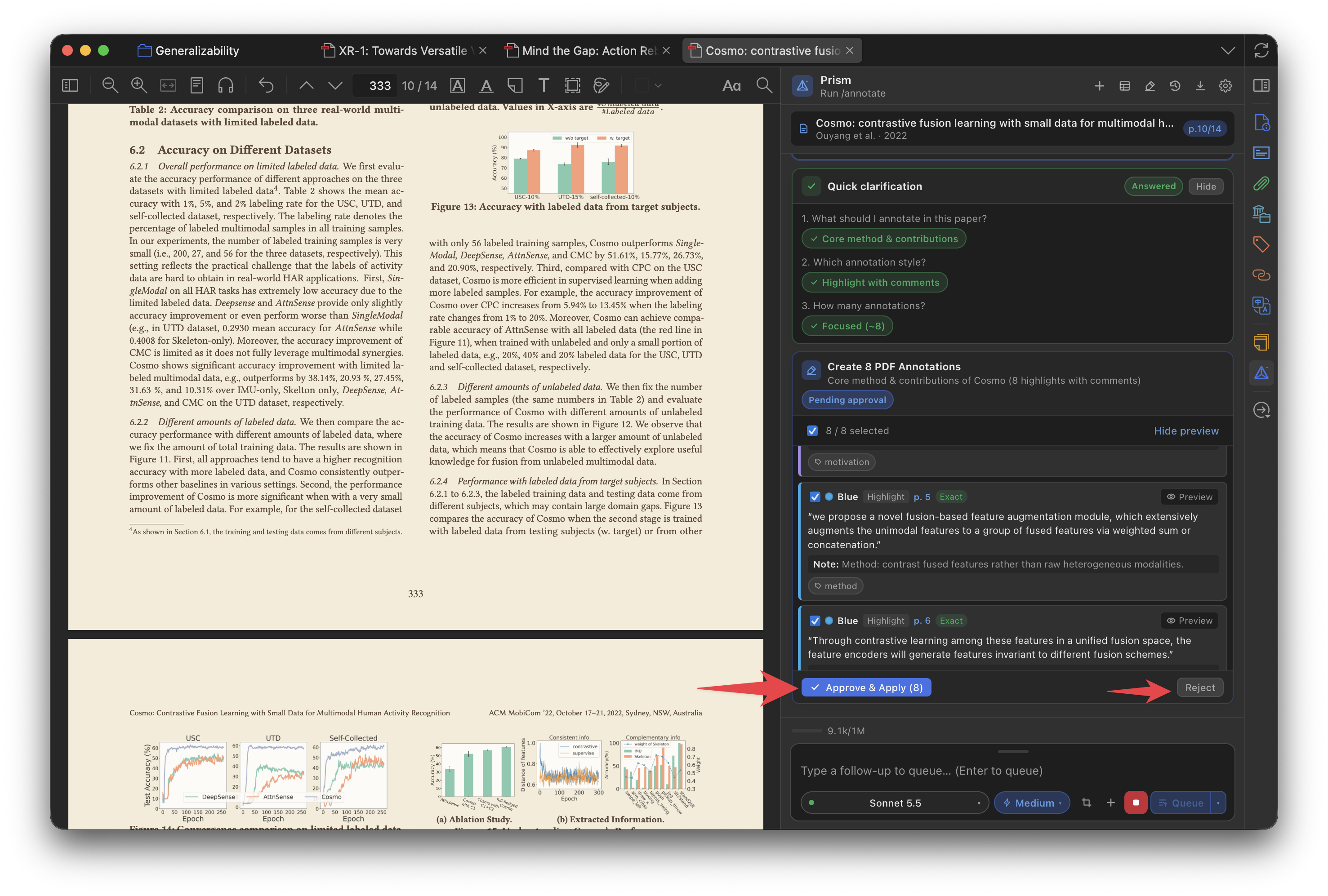
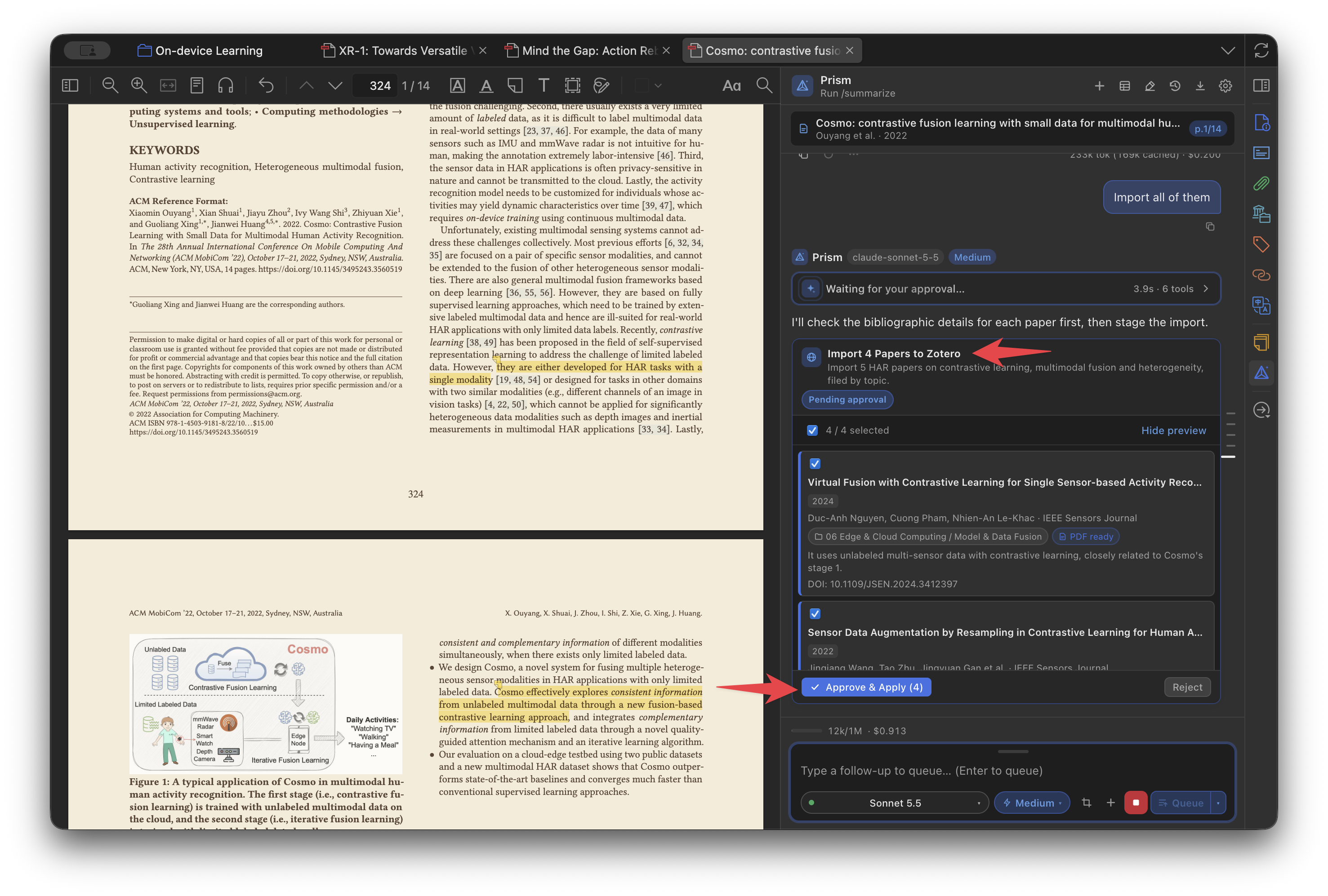
3. Built-In Zotero Agent Tools (Preview → Approve → Commit + Undo)
Prism equips the model with 26 built-in tools (25 always-registered + 1 conditional generate_image when an Image Generation route is available), cleanly separated into read-only lookups, interactive clarification, and strictly guarded library mutations:
Read Tools (18 Total — Default: Auto-execute)
- Library Read (
read_library, 14 tools):get_active_paper_metadata,read_paper_pages(up to8pages/call),view_paper_pages(renders up to4PDF pages as JPEG for vision),search_library_papers,get_paper_notes,get_paper_annotations,search_annotations,search_library_metadata,search_library_fulltext,semantic_search_library,list_library_taxonomy,inspect_library_metadata_issues,read_note_content, andload_skill. - Web & Media Lookup (
web_lookup, 4 tools):fetch_web_url(publichttp/httpsonly; blocks localhost & private IPs),web_search,search_academic_papers, andgenerate_image(available automatically whenever an Image Generation route is configured). - Human Clarification (1 tool):
ask_user_questions(interactive Clarifying Question Card).
Write Tools (7 Total — Default: Ask approval)
Controlling Permissions & Step Budget
- Every write executes inside an atomic
Zotero.DB.executeTransactionand saves a reverse snapshot so you can clickUndo(and evenRe-apply) inline on the Approval Card. - Open Prism Settings → General Settings → Agent Operation Permissions to toggle
Ask for all/Auto-execute allper category, or setAsk approvalvsAuto-executeindividually for each of the 2 read operations and 7 write operations. - Adjust Max Tool Steps (
1 – 15, default6) in General Settings. Interactive human approval and clarification waits receive up to8bonus interactive step credits per turn so approval checkpoints don't cut short complex workflows.
4. Free Zero-Key Academic & Web Search (Plus Optional BYOK)
Open Prism Settings → MCP & Web → Web Search & Direct URL Fetch to configure online discovery:
- 7 Built-In Zero-Key Engines (all on by default; individually toggleable):
- Academic (5): OpenAlex, arXiv, Crossref, Semantic Scholar, PubMed (NCBI).
- Web (2): DuckDuckGo (HTML + Instant Answer fallback), Wikipedia (auto-selects English or Chinese for CJK queries).
- Smart Intent Routing & Cross-Engine Deduplication: Automatically prioritizes PubMed for biomedical queries, OpenAlex/arXiv/Crossref for CS/academic queries, and Chinese Wikipedia for CJK queries, then deduplicates results across engines by DOI, arXiv ID, canonical URL, and title while retaining the richest metadata and OA PDF link.
- Optional Dedicated Search Backends: Switch from
Free Multi-Engine Search (Auto)to Self-Hosted SearXNG (zero key, custom JSON URL), Tavily, Brave Search, Serper, or Disabled. All BYOK/SearXNG backends automatically fall back to the free engines on failure, and API keys stay OS-encrypted in Zotero Login Manager. - Max Search Results: Configurable from
1to12(default6).
5. Bidirectional Model Context Protocol (MCP)
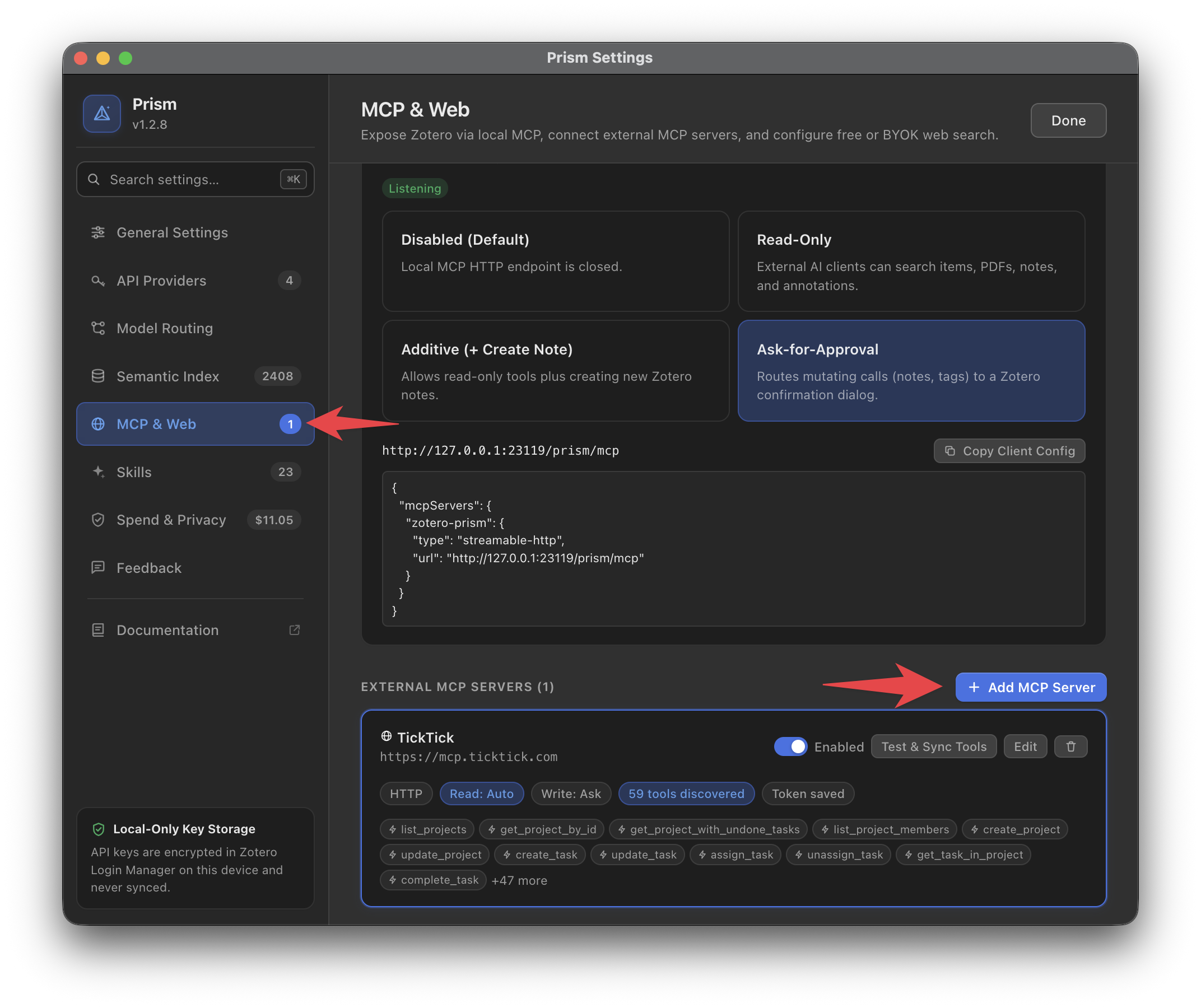
Prism implements MCP (2025-03-26) in both directions under Prism Settings → MCP & Web.
A. Inbound Local MCP Server (Connect Claude Code, Cursor, Codex & External Agents to Zotero)
Prism embeds a lightweight HTTP MCP server directly inside Zotero's built-in HTTP server at http://127.0.0.1:23119/prism/mcp (automatically tracking Zotero's configured HTTP port)—no external Node/Python sidecar required.
Security Model: Strictly loopback-only (127.0.0.1, ::1, localhost) with anti-CSRF loopback Origin verification (all non-loopback requests are rejected with HTTP 403; no bearer token needed).
Choose one of 4 Permission Modes:
Client Configuration Snippet (Claude Code / Cursor / Codex / Antigravity)
Copy this JSON directly from Settings → MCP & Web into your client's MCP configuration:
B. External MCP Client (Connect External Tools Into Prism)
Give Prism access to Obsidian vaults, Python sandboxes, lab databases, or institutional APIs via Settings → MCP & Web → External MCP Servers → Add MCP Server:
- Streamable HTTP / SSE Transport: Enter the server URL, optional Bearer token (OS-encrypted in Zotero Login Manager), and optional custom HTTP headers (
Header: Value). Automatically tracksMcp-Session-Idand recovers from expired sessions (20stimeout). - Local Stdio Subprocess Transport: Launch desktop MCP binaries directly via Gecko's
Subprocess.sys.mjswith Command, Arguments, andKEY=VALUEEnvironment Variables (20stimeout). - Sync & Slash Invocation: Click
Test & Sync Toolsto discover and cache tools across restarts (qualified asmcp_<server>_<tool>). Enabled servers appear immediately in the composer's/menu as/<server>(or/mcp-<slug>if the name collides with a skill slug) and can even auto-discover tools on demand when sent. - Per-Server Tool Permissions (
Read & Write): Inside the server modal, configureRead toolsandWrite toolsindependently withAsk approval(default) orAuto-executetoggles (displayed on server cards asRead: Ask/AutoandWrite: Ask/Autobadges).